AI Integration & Intelligent Workflows
Bring AI into the work your teams already do, connected to your data and systems.

A mobile-first, WhatsApp-ready lead CRM for Indian sales teams, from the first enquiry to the closed deal.
In developmentA Yantevo product being built now. It is not generally available yet.
The problem
The complete flow
Capture
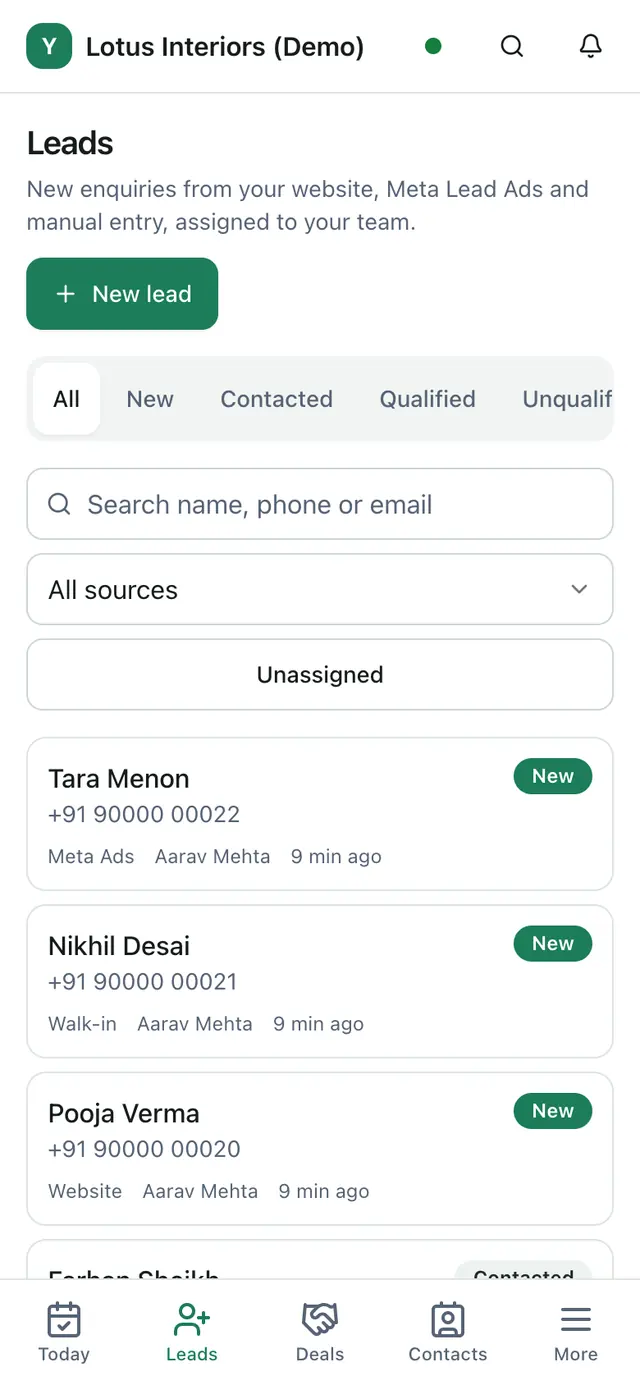
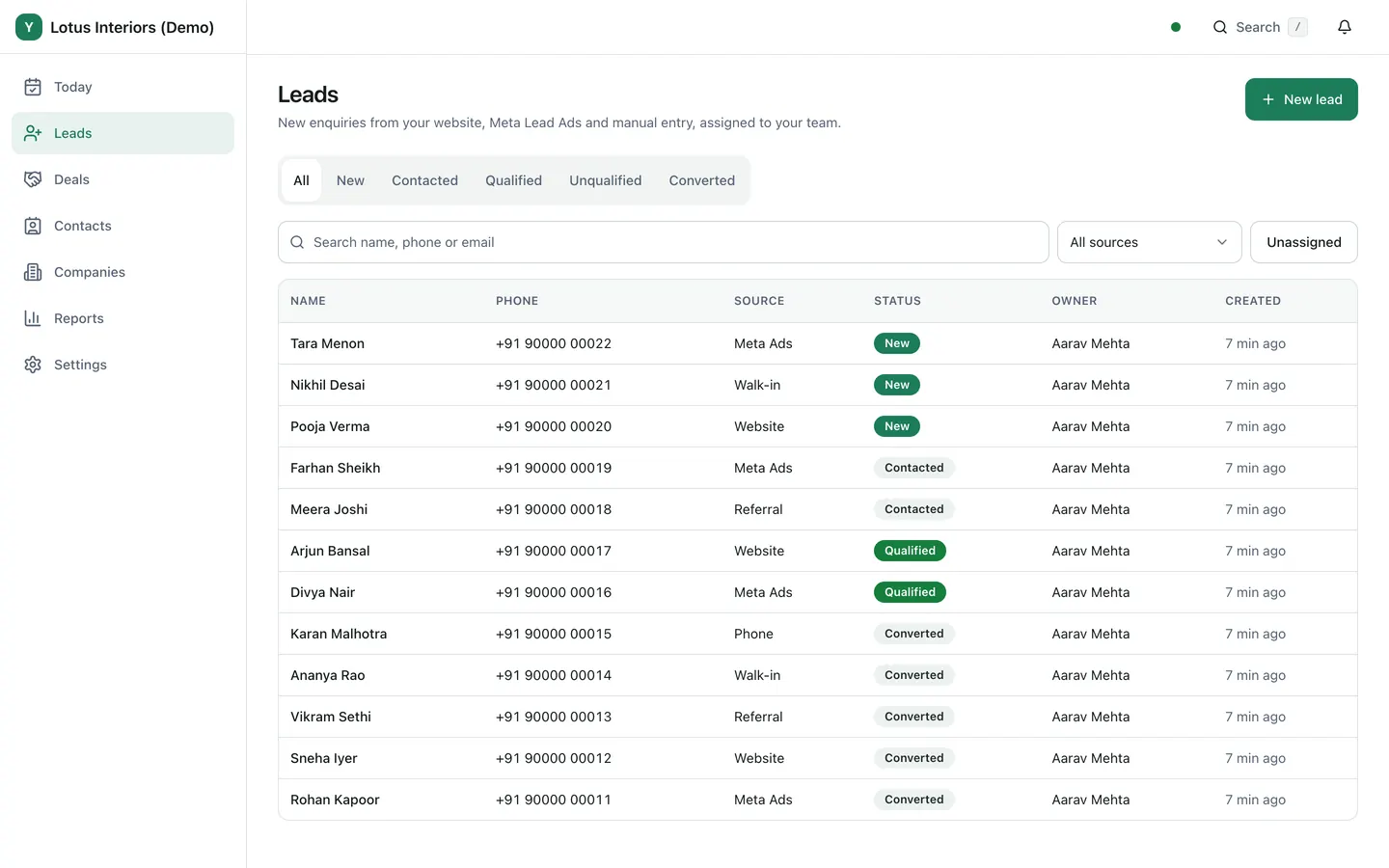
Leads arrive from your ads, website, partners and front desk, with the source recorded on each one.
Assign
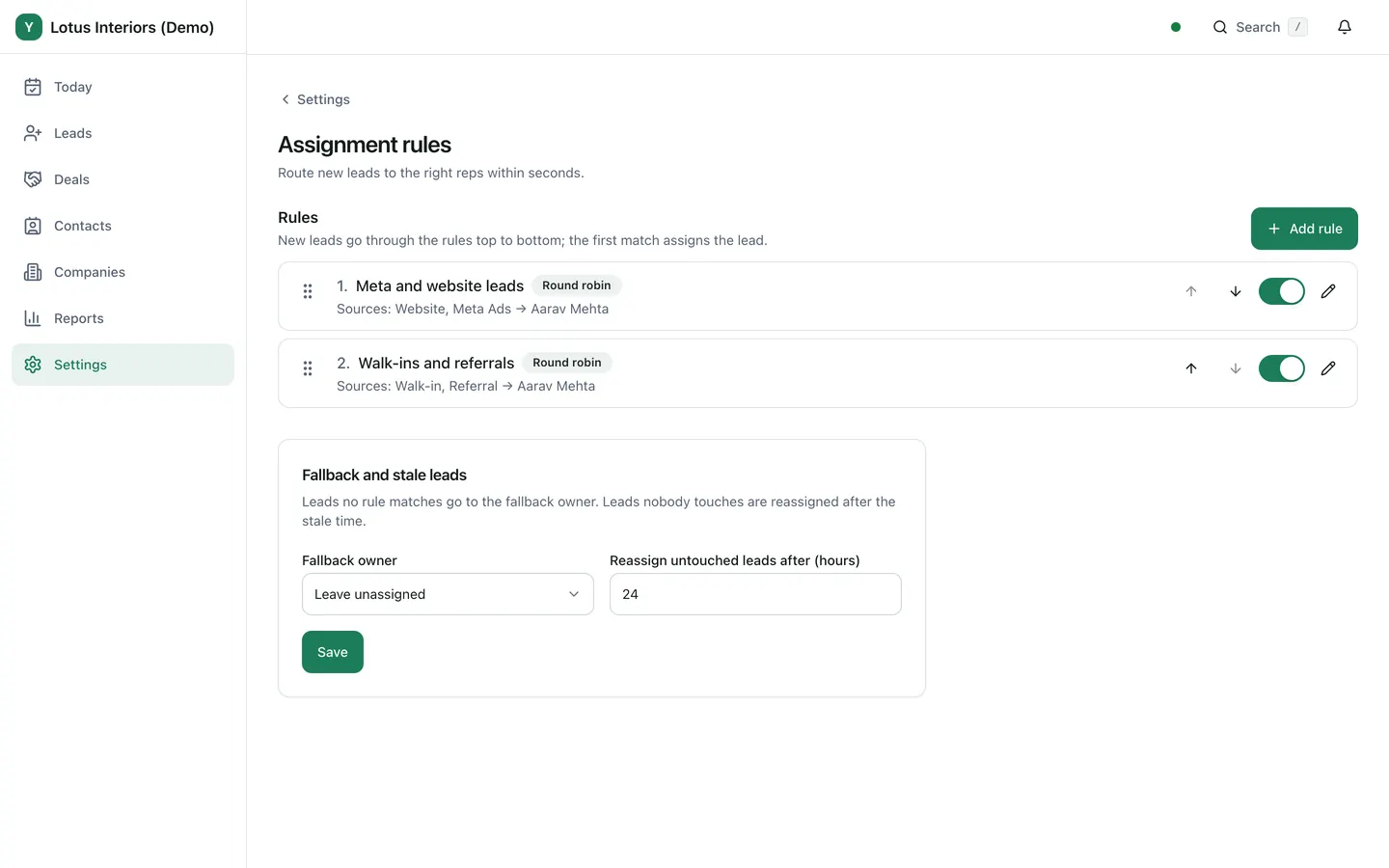
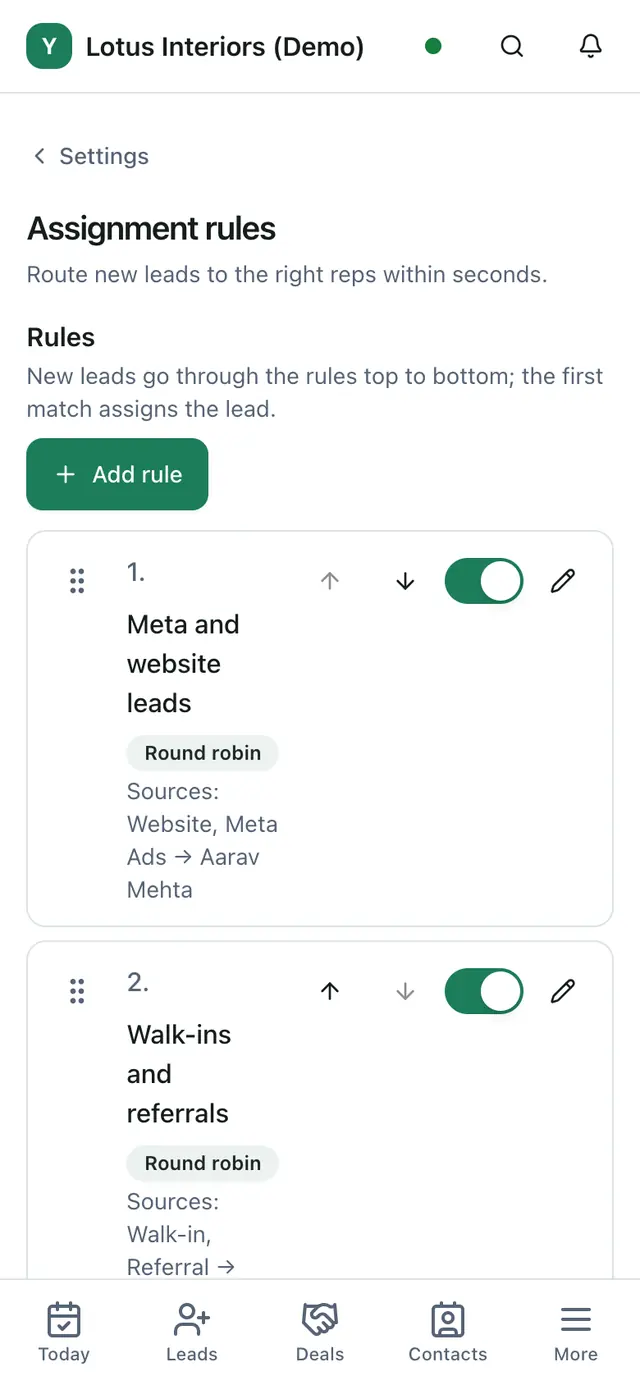
Rules run from top to bottom, and the first match assigns the lead. If nobody acts on a lead, it can be reassigned after a time you set.
Follow up
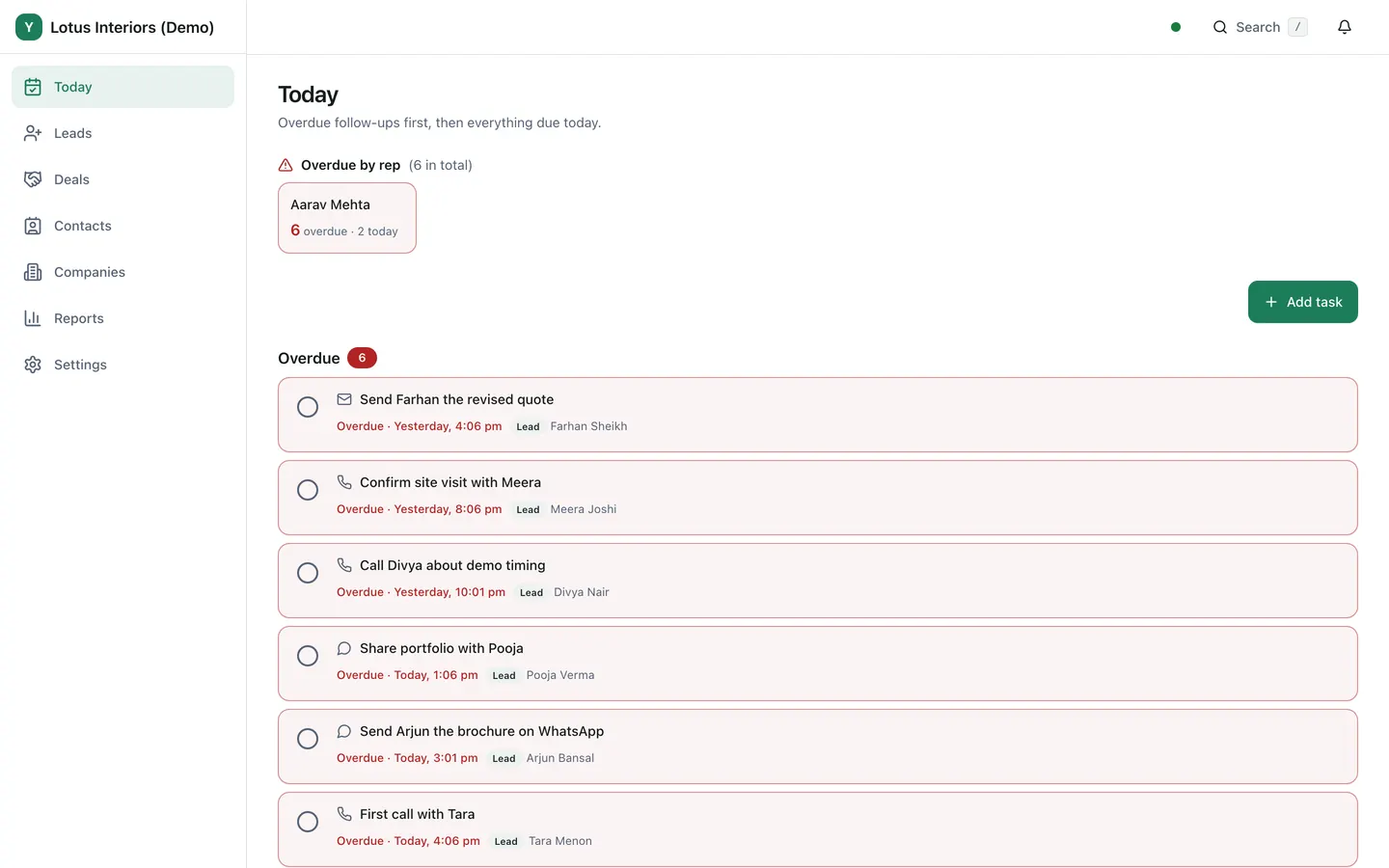
The Today screen puts overdue follow-ups first, then everything due today. Managers can see who has fallen behind.
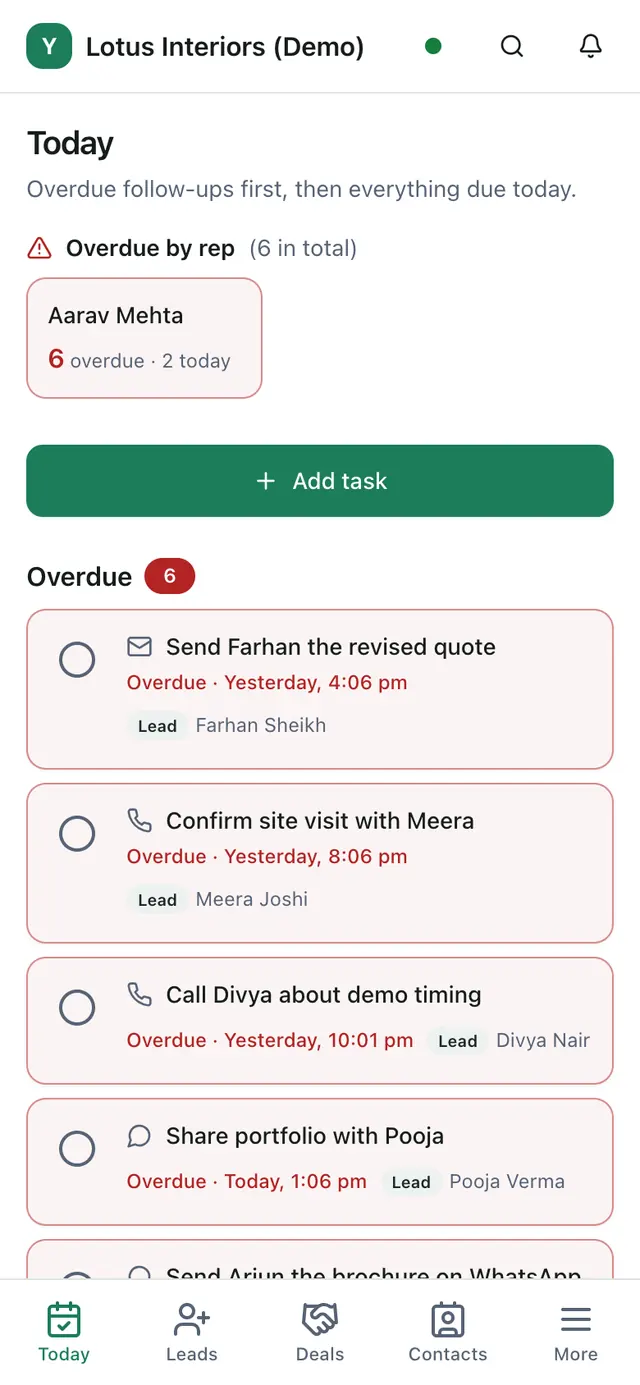
Engage
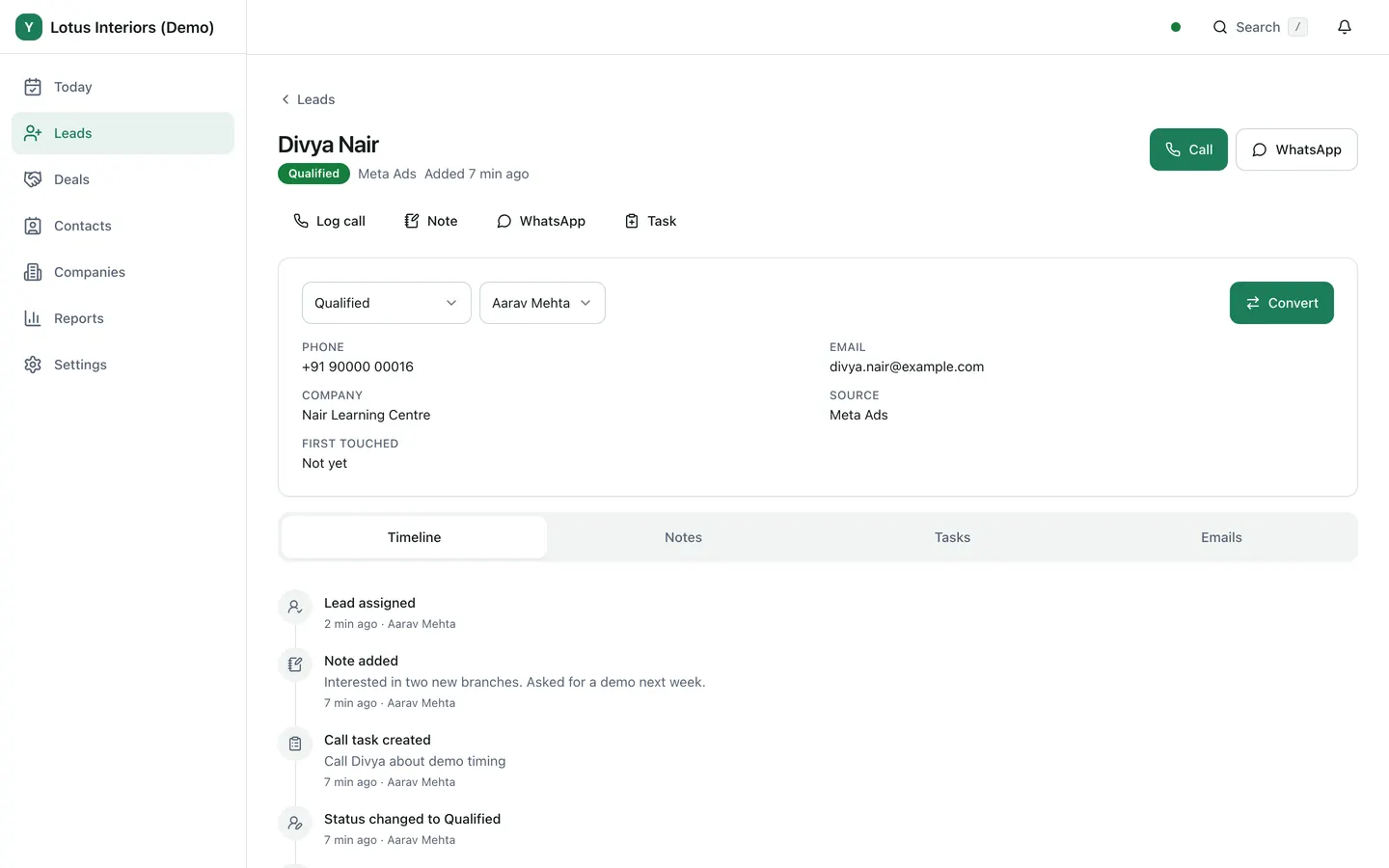
Each lead has one timeline of notes, tasks, status changes and emails, so anyone can pick up the conversation.
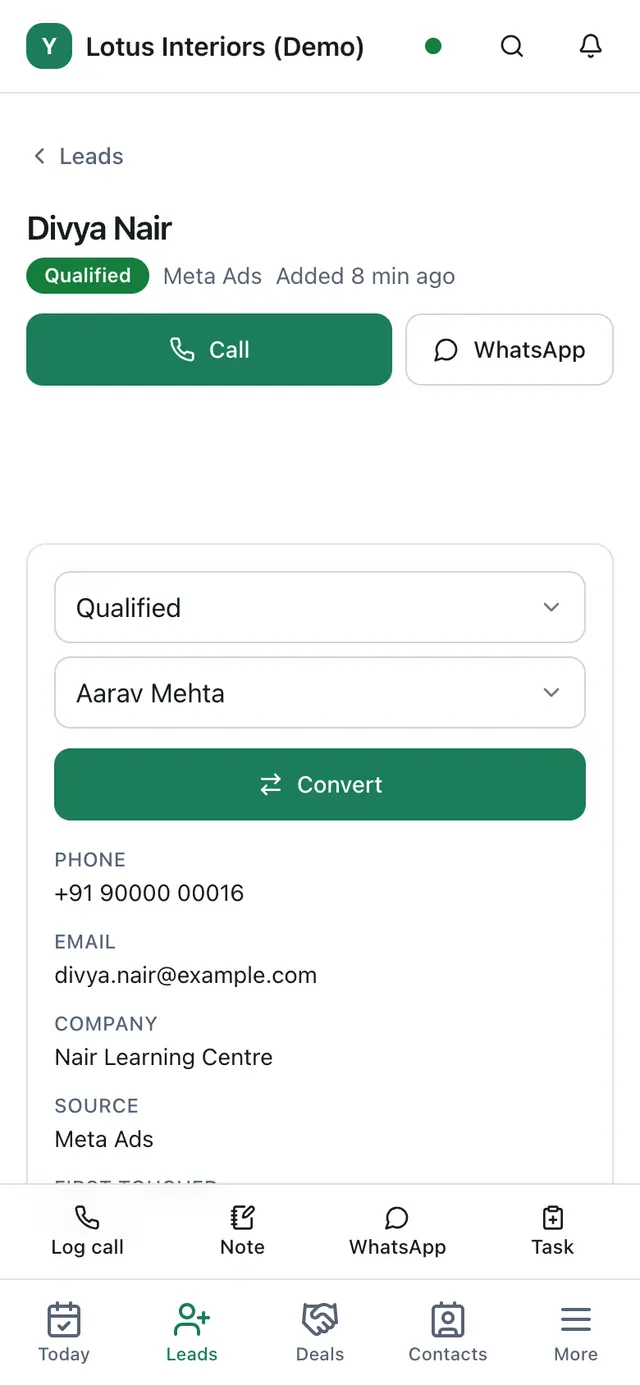
Convert
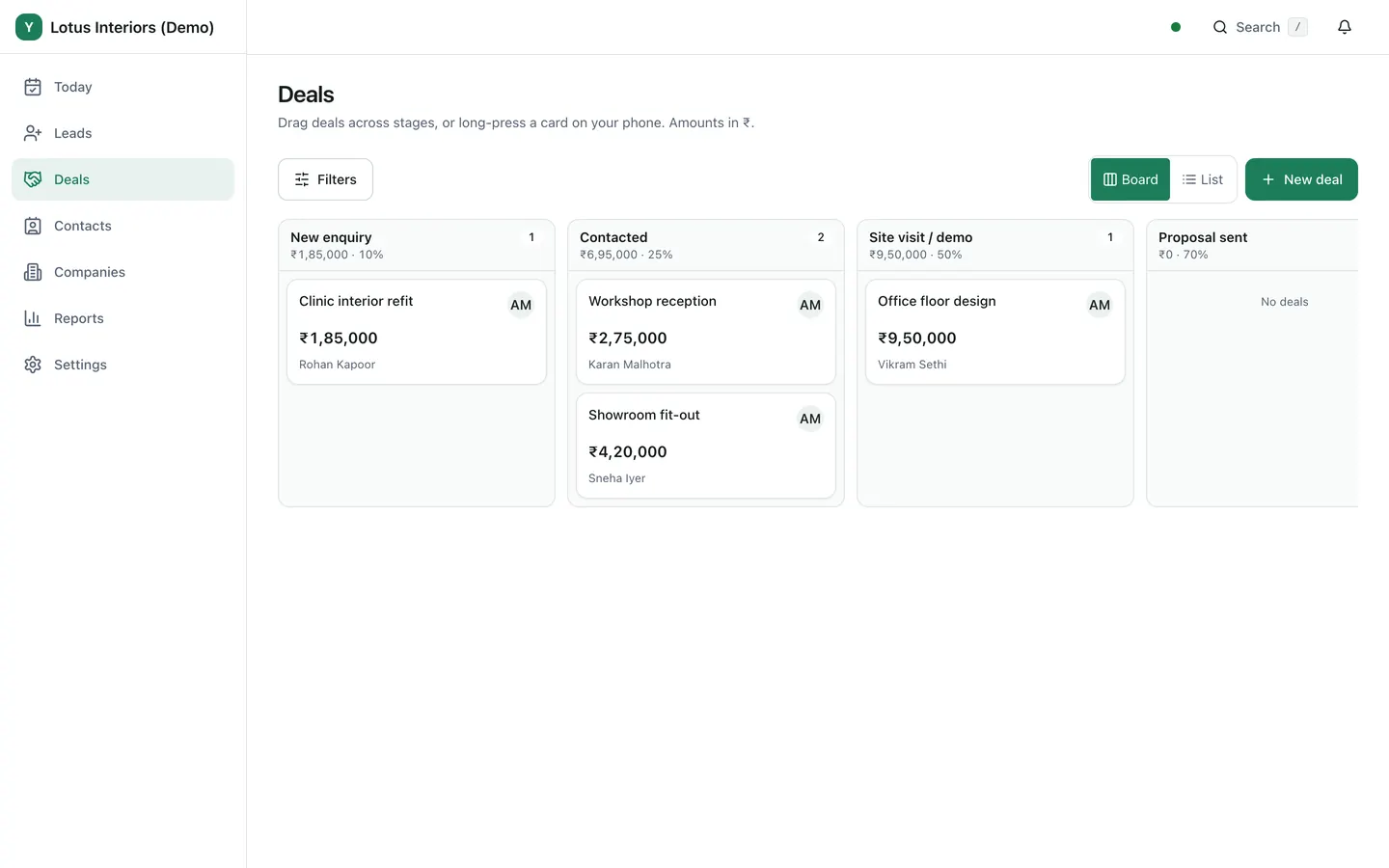
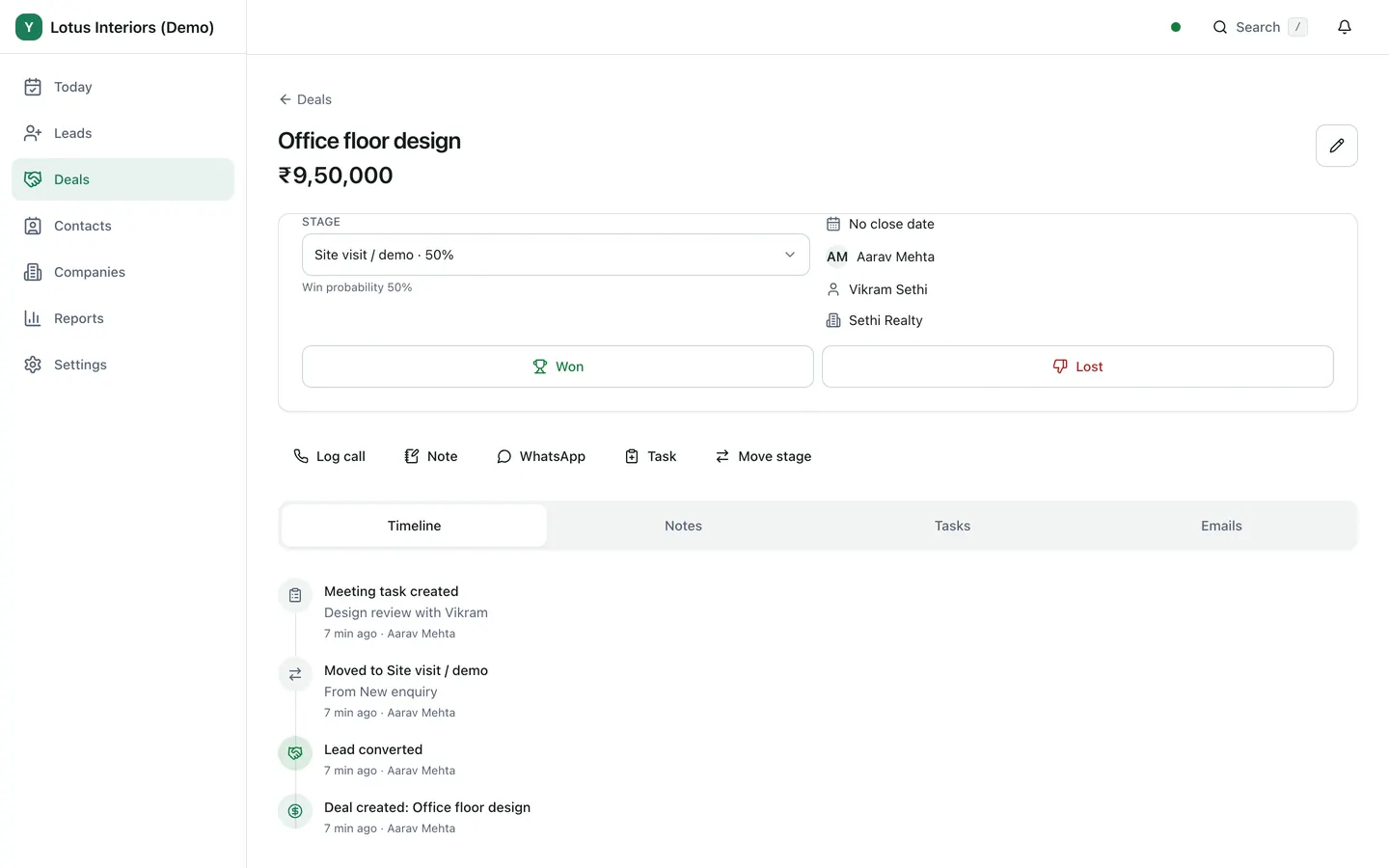
Converting a lead creates or links its contact, company and deal. Deals then move across a board built around your stages.
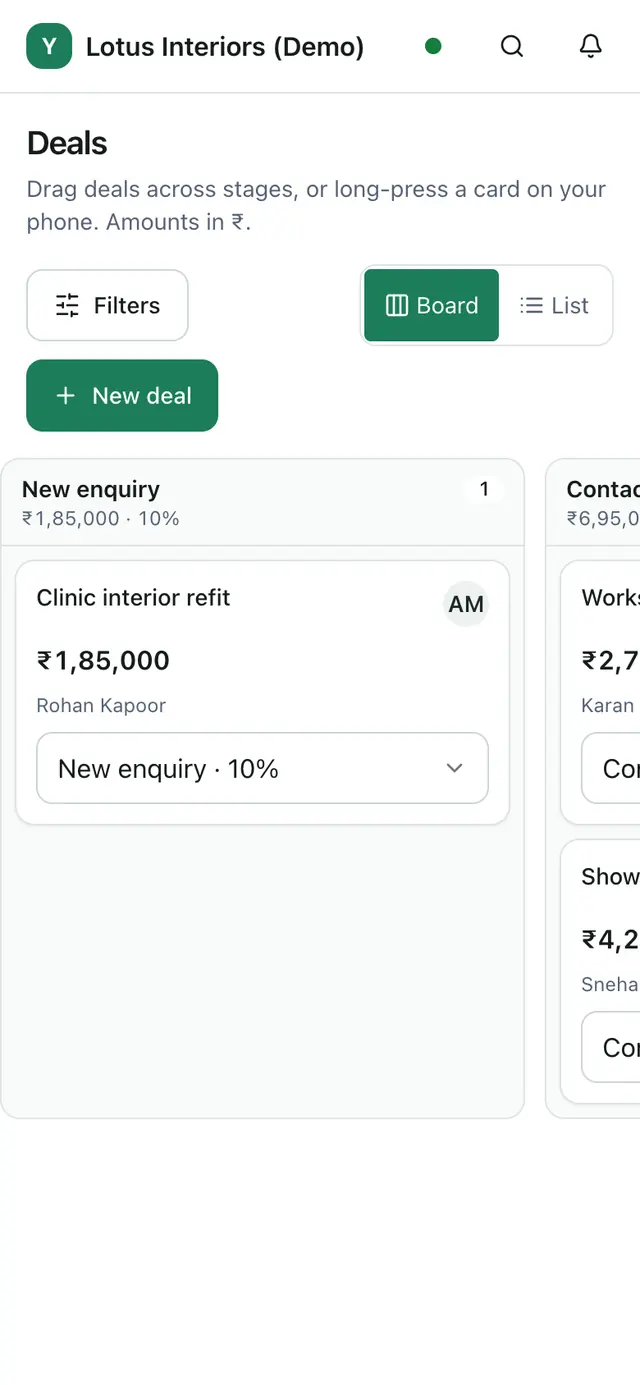
Close
Closing a deal takes a reason, so your numbers explain what is actually happening instead of only counting it.
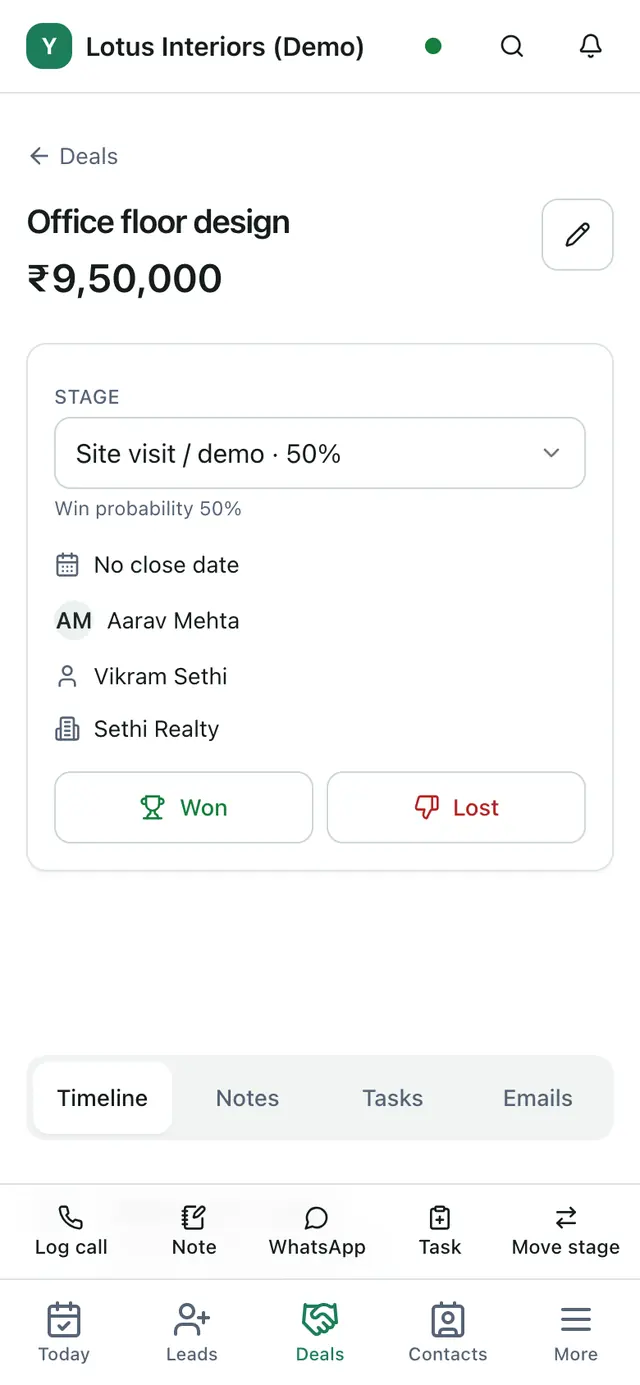
Measure
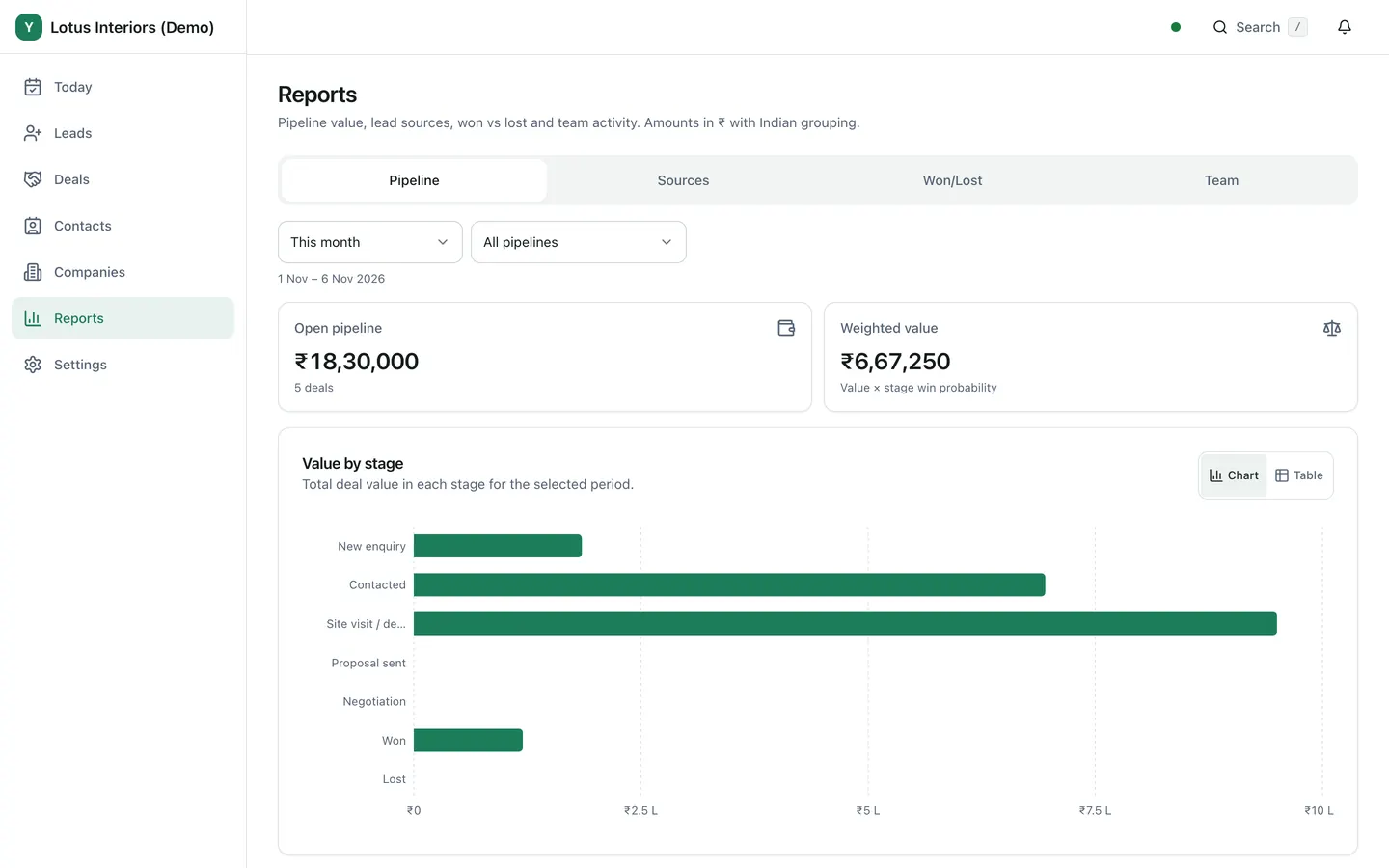
Reports show pipeline value, lead sources, won versus lost and team activity, without anyone assembling a spreadsheet.
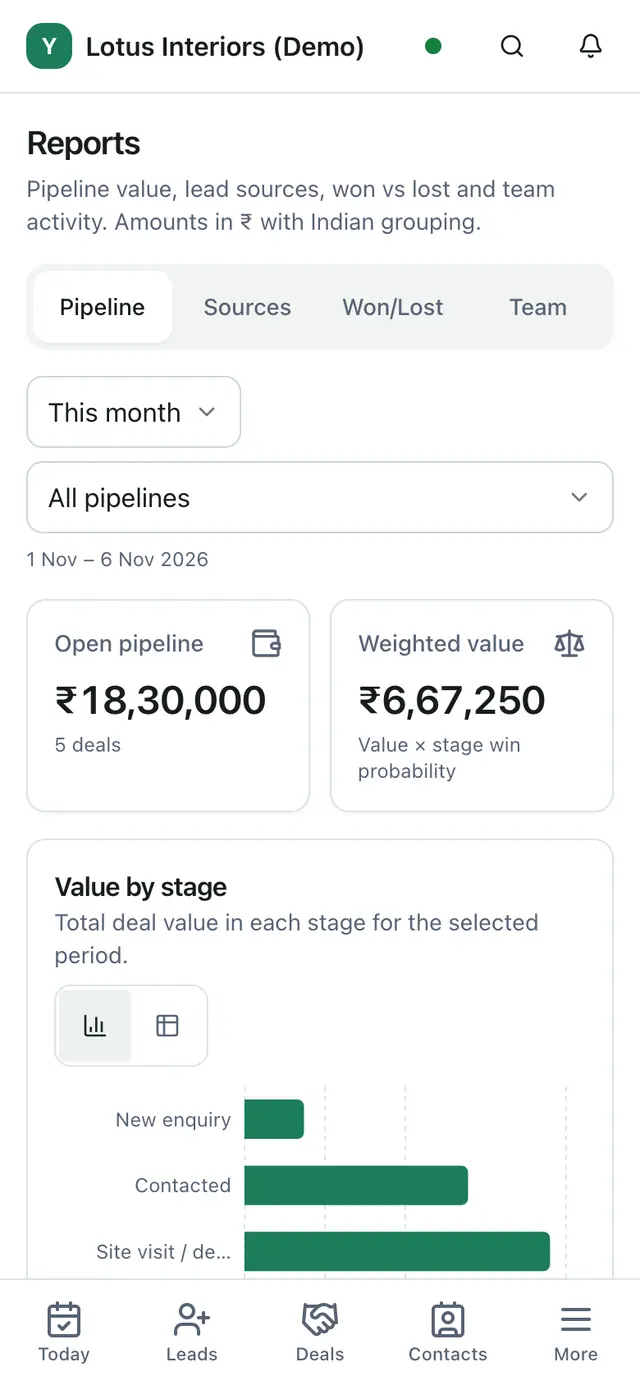
Real screens from a test build, with fictional data. Details may change before release.
Real screens from a test build, with fictional data. Details may change before release.
The AI layer
In development. These features aren't in the screens above yet. The illustration shows the intended design.
A short brief drawn from the lead's timeline, status, deals and tasks, so a rep knows the history before dialing.
A WhatsApp or email draft based on the contact and your last interaction, which the rep edits before sending.
Mobile first
What's inside
Ads, forms, webhooks, manual entry and imports, with duplicates checked by phone number.
Route by source, share leads fairly, and reassign the ones nobody touched.
Follow-ups with due times, and a daily list ordered by what is most urgent.
One-tap contact, call logging and templates with merge fields.
Connect Gmail or Outlook. Emails with CRM contacts appear on the record; other emails are not stored.
Kanban boards with your own stages and win probabilities.
Linked records, GSTIN on companies, custom fields and global search.
Pipeline, sources, won and lost, and team activity, plus Excel or CSV import and export.
Security and control
Admins see everything, managers see their team, and reps see their own records.
One-time codes by SMS or email, with an authenticator app as a second step for admins.
Each company's data is separated at the database level, not only in the application.
See who changed what, with the old and new values.
FAQ
It is still in development and isn't generally available yet. Register your interest and we'll keep you informed, and talk through whether it suits your team.
No. The screens on this page show the CRM as it is built today. The AI summary and message draft are in development, so they appear separately and are clearly labeled.
Small and medium sales teams in India, of roughly 5 to 50 people, who sell over the phone and WhatsApp and need a CRM that works well on a phone.
No. The AI is designed to prepare a draft for a person to edit and send. It is also off by default, so each workspace chooses whether to use it.
Yes. Contacts, companies, leads and deals can be imported from Excel or CSV files, and you can export your data as well.
Yes. If you need something more specific, our custom software and AI integration services can shape a solution around how your business works.
Bring AI into the work your teams already do, connected to your data and systems.
Business-focused applications and platforms, built to be maintained and extended.
Tell us how you handle leads today. We'll keep you informed as the CRM progresses, and talk through whether it suits your team.